Identity and access.
Every downstream capability in Portainer (fleet, policy, GitOps, observability, day-2) is authorized against a single AAA surface (authentication, authorization, and access): users, teams, roles, and environment groups. This module walks that surface, covers how Portainer decides what any given user can do, and goes deep on how Portainer represents each user inside every Kubernetes cluster as a shadow account, so kubectl access works with Portainer's role-based access control (RBAC) applied and no cluster-admin kubeconfig ever leaves the platform team.
Why AAA sits under everything
Every request Portainer processes goes through the same authorization pipeline: identify the caller, resolve their team memberships, evaluate the roles those memberships grant against the environment (or environment group) the request targets, and either forward the request to the underlying runtime or reject it. That pipeline runs on the UI, on the API, on the raw Kubernetes proxy, and on the machine-to-machine surfaces add-ons use. It is one implementation, one policy set, one audit trail.
The reason this matters as its own module is that everything after this depends on it. A policy in Module 8 is applied to an environment group; the group is defined here. A GitOps workflow in Module 9 targets an environment the user has access to; access is decided here. An observability query in Module 10 returns only data the caller is authorized to see; authorization is checked here. If AAA is misconfigured, everything downstream is wrong, and the failure often looks like a downstream problem (a policy that will not apply, a stack that will not deploy) when the real cause is upstream.
The other reason this module exists is the Kubernetes API proxy and the shadow account model behind it. Portainer's answer to "how do I give my developers kubectl access to a cluster without giving them cluster-admin kubeconfigs" is a first-class part of the AAA surface.
The identity model
Portainer has a single internal identity concept (a user) and pulls users from one of four sources: an internal database (usernames and passwords Portainer manages directly), LDAP, Microsoft Active Directory, or OAuth. Each source has its own configuration path in Module 5; this module is about how those users behave once they arrive.
The important property of the model is that source does not affect authorization. Once a user has authenticated (by whatever means), Portainer holds a user record with a canonical username; team memberships and roles then apply the same way regardless of how the user got there. A user provisioned by LDAP and a user provisioned internally with the same team assignments and role grants have identical permissions. This is what "centralized" means: the identity provider provides identity, and Portainer owns authorization.
LDAP is where most enterprise integrations start. On login, Portainer authenticates the user against LDAP, then syncs their team memberships from LDAP groups (failures on team sync are logged as a warning; they do not block login). If the LDAP admin auto-populate setting is on, the user's role is re-evaluated every login based on LDAP admin group membership, so promotion or demotion in AD flows into Portainer at the next login. If the user did not exist locally and LDAP auth succeeded, a standard-user record is auto-created with default authorizations. Non-admin LDAP users additionally require a valid license (403 "License is not valid") and pass the overuse gate (402); admins are exempt from both checks.
OAuth logins follow a separate code-exchange flow; the username/password endpoint rejects OAuth users with "Only initial admin is allowed to login without oauth", so if you see that error, the user is trying the wrong login path.
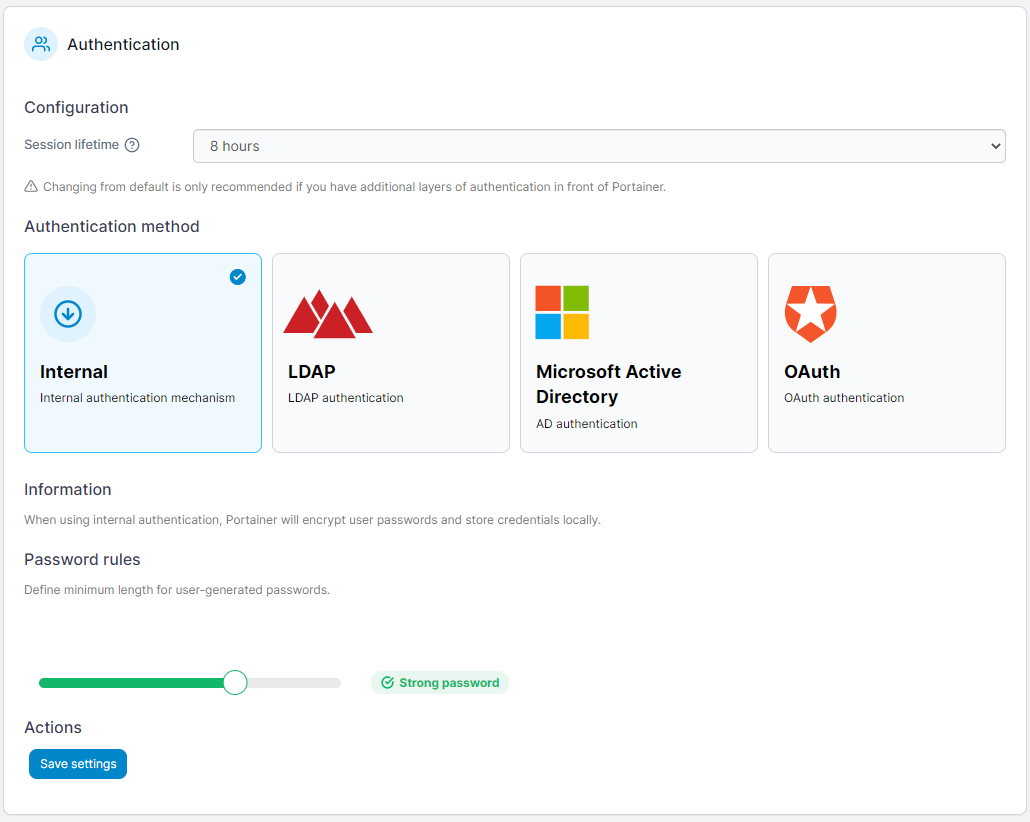
The initial administrator (user ID 1) always authenticates internally, regardless of what auth method is configured. That is your escape hatch when LDAP or OAuth is misconfigured or the identity provider is down. Losing that password locks you out of the escape hatch; store it in the same password manager the rest of the platform-team credentials live in, and rotate it deliberately.
Users, teams, and roles
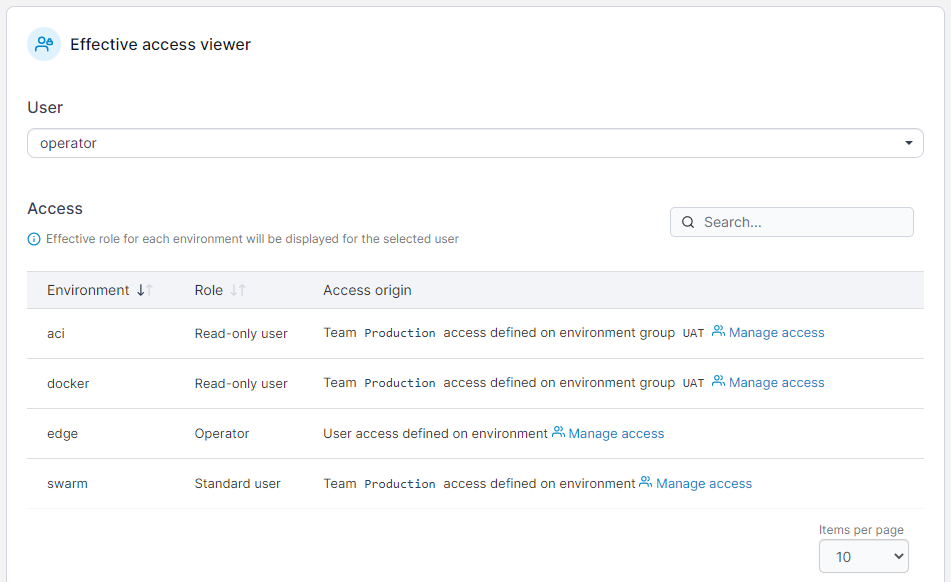
Users belong to teams; teams (and, less often, individual users) are granted roles on environments or environment groups; a user's effective role at any environment is derived from their team memberships and the group's access policy at request time. Environment-level access policies override group-level ones when both apply, so a team broadly granted view-only across a group can be granted operator-level rights on a single environment in that group without changing the group policy.
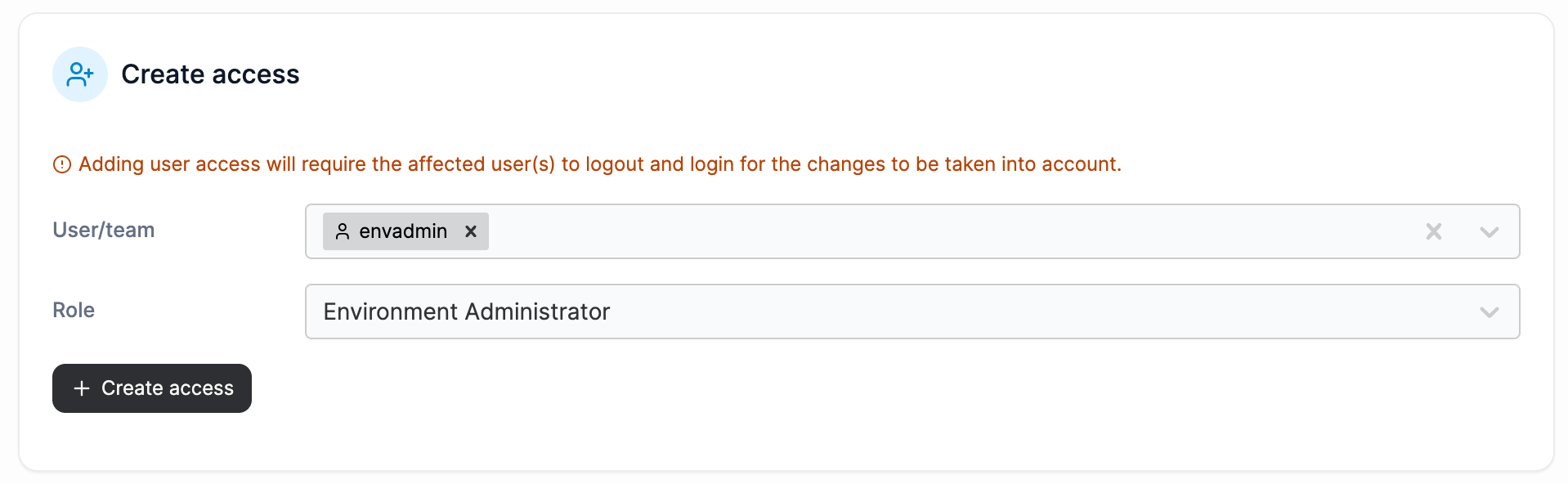
Portainer has one platform-level role and a catalog of environment-scoped roles. The platform-level role is Portainer Administrator; a platform administrator has unconditional access to every surface, is exempt from the license gate, and does not appear in the environment-role catalog. Every other role in this section applies through team+group+role assignment and takes effect only inside its scope.
The environment-role catalog has seven built-in shapes, visible in User-related → Roles:
| Role | What it grants | Runtime scope |
|---|---|---|
| Environment Administrator | Full control of all resources in an environment | Docker, Kubernetes, Podman, Swarm |
| Edge Administrator | Full control of all resources in edge environments, plus access to the Edge Compute features | Docker, Kubernetes, Podman, Swarm (edge environments only) |
| Operator | Operational control of all existing resources of an environment | Docker, Kubernetes, Podman, Swarm |
| Helpdesk User | Read-only access of all resources in an environment | Docker, Kubernetes, Podman, Swarm |
| Namespace Operator | Operational control of all existing resources in a namespace | Kubernetes (assigned namespaces) |
| Standard User | Full control of assigned resources in an environment | Docker, Kubernetes, Podman, Swarm (assigned resources) |
| Read-only User | Read-only access of assigned resources in an environment | Docker, Kubernetes, Podman, Swarm (assigned resources) |
Edge Administrator is a role in the catalog, and at the endpoint level it grants the same operational authority as Environment Administrator; the differences are that its scope is limited to edge-connected environments and it unlocks the Edge Compute features (edge stacks, edge jobs, edge configurations). It is not a distinct authorization surface; it is a scoping shape.
Four of the seven roles are cluster-scoped and three are namespace-scoped. Environment Administrator, Edge Administrator, Operator, and Helpdesk User are cluster-scoped; on Kubernetes they apply across every namespace in the environment. Namespace Operator, Standard User, and Read-only User are namespace-scoped; they apply only in the namespaces (or the specific resources on Docker, Podman, and Swarm) the user has been granted. On Kubernetes this distinction shows up in how Portainer binds the user's shadow ServiceAccount at the cluster (chapter 07): cluster-scoped roles get a ClusterRoleBinding, and namespace-scoped roles get RoleBindings in the assigned namespaces.
Custom roles let you construct your own permission set from the underlying operation catalog if the seven built-ins do not fit; the built-ins are what most users use unmodified.
The recommended practice is to think in teams first and users second. Users come and go; teams model the durable structure of your organization. Ten teams that reflect the operating model (platform, applications, security, network, three product teams, two support tiers, one auditor group) is a governance surface that survives churn; a hundred user records with individually-tuned role grants is not.
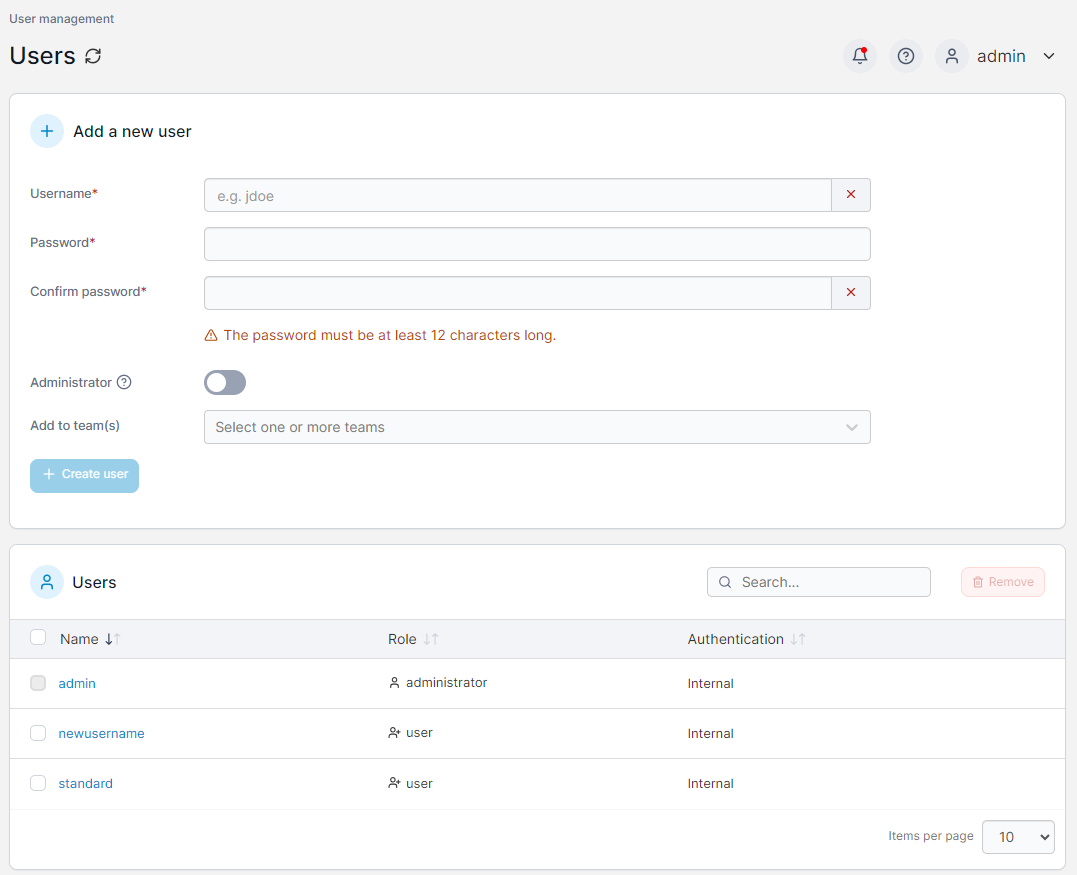
For further details on the built-in role catalog, see the Portainer documentation.
Create two environment groups (dev and prod, say). Create two teams (developers and platform). Assign the developers team a limited role on the dev group; assign the platform team environment-administrator on both. Log in as a user in each team and verify the visibility and permissions match what you expect. If they do not, either the team assignments are wrong or the environment is in the wrong group; correct the group first.
How authorization works
Every request Portainer serves passes through the same authorization pipeline. The pipeline determines who the caller is, whether the license is valid, whether the caller's role permits the requested operation, and (for environment-scoped operations) whether the target environment is one the caller can act on. When any check fails, the pipeline rejects the request at the earliest possible stage; when all succeed, the request continues to the handler.
Six protection tiers
Every API endpoint sits behind one of six protection tiers. The tier decides what gets checked and in what order.
Public endpoints require no authentication. The login page and a small set of unauthenticated diagnostics use this tier.
Authenticated endpoints require a valid session or token but perform no license or role check. They give downstream code the user identity without gating on role.
Restricted is the main workhorse tier. It requires authentication, then verifies the license (admins pass unconditionally; non-admins are rejected with "License is not valid" when the license is invalid), then evaluates the user's role against the requested operation. Almost every non-admin operational endpoint sits behind this tier.
Pure admin is Restricted plus a hard requirement that the caller be a Portainer Administrator (edge admins deliberately excluded). Failure returns 403 "Access denied". Notable operations behind this tier: add-on lifecycle mutations, support-bundle generation, and GitOps source access-list updates. These are the operations that touch the platform's own trust boundary.
Team leader requires either administrator or team-leader status; used for team-management endpoints where a leader can act on their own team.
Edge compute gates on the edge-compute feature being enabled at the server level.
When a request is rejected, the tier decides the failure mode. A 403 with "License is not valid" is a Restricted-tier license check failing; a 403 with "Access denied" is typically a Pure-admin-tier check rejecting an edge admin who tried a platform-level operation. Both are frequent triage entry points.
Authentication methods
Portainer accepts three token forms, and the resolution order is fixed: an API key sent in a dedicated request header is checked first, then a session cookie, then a JWT bearer token in the Authorization header. First match wins. Tokens can be individually revoked, and a revoked token returns "the JWT has been revoked" until it expires naturally. If the token references a user that has since been deleted, the error is "invalid user context, user could not be found".
The five operation catalogs
Once a request passes the tier check, the authorization decision itself is made against a catalog of operations, and Portainer maintains a separate catalog for each of the surfaces it manages. There is one catalog for Docker API operations, one for Kubernetes operations (split internally into the UI-facing named-endpoint catalog and the kubectl-facing raw-proxy catalog, both covered in chapter 08), one for Azure Container Instances, one for Portainer's own operations (settings, users, environments, teams), and one for the agent's return-path calls to the server. Each catalog is authoritative for its surface; a user's effective permissions on a Docker environment are determined by the Docker catalog, and on a Kubernetes environment by the Kubernetes one.
Where role definitions come from
Portainer's role definitions live in the database, and they are refreshed on every server upgrade. That is why permissions can shift across releases: the upgrade replaces the role's permission set with the version the current release says it should be. The shift is deliberate and documented in release notes; you should review your role assignments after any major upgrade rather than assume the built-in permissions are stable across versions.
Portainer Administrator versus Edge Administrator
Two distinct concepts, even though Edge Administrator behaves as Environment Administrator at the endpoint level (chapter 03). Portainer Administrator is the platform-level admin: unconditional access to every surface, no license gate, no authorization check, no scope limit. Edge Administrator is one of the seven entries in the environment-role catalog; at edge endpoints it grants the same operational authority as Environment Administrator, and it additionally unlocks access to the Edge Compute features. The distinction matters at the Pure-admin tier: some platform surfaces deliberately require Portainer Administrator specifically, and Edge Administrator does not qualify. Those are the operations that touch the platform's own trust boundary (add-on lifecycle changes, GitOps source access-list updates); your edge admin cannot mutate them, by design.
Environment access resolution
For a non-admin user hitting an environment-scoped API, access is computed from the user's team memberships, the environment's group, the group's access policy, and any environment-level access policy (which overrides group-level when both apply). If nothing grants access, the request is rejected. If access is granted and an authorization check is requested for a specific operation, the operation is looked up against the user's effective permission set for that environment; failure returns 403. Admins short-circuit to allow (edge admins short-circuit for edge environments only).
Add-on tokens are a separate plane
Installed add-ons authenticate to the server through a dedicated machine-to-machine endpoint, carrying a per-instance token that authorizes the add-on to read and write only its own settings. This machinery is deliberately isolated from the user-facing authorization pipeline: an add-on's machine token cannot authenticate any user route, because the pipeline requires a real user behind the token and machine tokens have no user record. Every add-on gets its own token; one add-on cannot read or write another's settings, even though the paths look the same, because identity is carried in the token and no add-on ID appears in the URL.
Custom roles are strictly additive against the built-in operation catalog. You cannot use a custom role to grant something the underlying platform does not expose, and you cannot use one to remove a permission a built-in role provides where the built-in also applies. If you need a permission shape that does not fit the built-ins, escalate rather than construct a custom role that looks right but does not enforce as expected.
Environment groups as tenancy
Multi-tenancy in Portainer is expressed through environment groups. A group holds a set of environments and a set of access policies (which teams get which roles at which level). A single Portainer server can host groups per business unit, per environment stage (dev/staging/prod), per customer (for a service provider running Portainer as a managed service), or per any other tenancy axis your operating model has; each group is a governance boundary, and one Portainer server can hold dozens of them without operational strain.
On Kubernetes, tenancy also drops into namespaces. Portainer manages namespace-level RBAC (Environments → the cluster → Kubernetes → Namespaces → per-namespace access controls); the effective permission set the user's shadow account carries at the cluster (chapter 07) is derived from these assignments. A team granted operator role at the environment level with a per-namespace restriction sees only the namespaces they are entitled to, both in the UI and through the Kubernetes API proxy chapter 06 covers. This is the mechanism that lets one Kubernetes cluster host multiple tenants coherently: cluster-scope objects are governed by cluster-role assignments, namespace-scope objects by namespace-role assignments, and both mappings are kept in Portainer.
Environment groups also anchor everything downstream. Policies (Module 8) attach to groups. Alert rules (Module 10) can target groups. GitOps workflows (Module 9) can target groups through edge groups. The group is the tenancy primitive; get groups right, and downstream configuration is easier to reason about, easier to audit, and easier to change without unintended consequences.
The Kubernetes API proxy
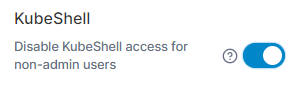
This is the chapter that changes how you think about kubectl access. Portainer's Kubernetes API proxy exposes an authenticated endpoint for each managed Kubernetes environment that speaks the Kubernetes API. A developer generates a kubeconfig from Portainer (Environments → the cluster → Kubeconfig, and download), points kubectl at that kubeconfig, and every kubectl command flows through Portainer before reaching the cluster.
Every request runs Portainer's role check first, then arrives at the Kubernetes API server through the user-scoped kube client that chapter 07 walks. Two authorization layers, one path: Portainer's authorization decides whether the request goes forward at all, and Kubernetes' own RBAC applies at the cluster on the shadow identity Portainer forwards under. The two enforce independently.
The generated kubeconfig contains Portainer's URL as the server, the environment ID in the path, and a bearer token bound to the user's Portainer identity with a configurable expiry. When kubectl issues a request, Portainer receives it at the proxy path, identifies the user from the token, evaluates their environment access (chapter 04), evaluates the operation catalog for the requested Kubernetes call, and on allow forwards through the user-scoped client to the target cluster. On deny, the response is 403 and no request ever reaches the cluster's API server.
What this eliminates is the practice of distributing cluster-admin kubeconfigs to developers. Each developer's kubeconfig comes from Portainer, is bound to their Portainer identity, respects their team's role, and every kubectl call is captured in Portainer's audit trail (chapter 10) under the user's identity, not the shadow account's. Revoking a developer's access is done by removing them from the team or disabling their user; their kubeconfig stops working immediately, without touching the cluster's own RBAC objects.
Kubeconfig from Portainer stops working: the download carries both a bearer token and a shadow-account lifecycle, and either can expire or be invalidated. Triage in order: check the expiry setting on kubeconfig downloads (Environments → the cluster → Kubeconfig), confirm the user's environment access is still in place, then confirm the user has not been disabled since the kubeconfig was generated. If all three check out and it still fails, capture the response body from kubectl and escalate.
For further details on downloading a kubeconfig, see the Portainer documentation.
Shadow user accounts inside each cluster
Portainer's identity story does not stop at Portainer; every non-admin Kubernetes user has a shadow identity Portainer maintains inside each cluster the user has access to, and understanding what that identity is (and what it is not) is worth its own chapter. This is where "centralized AAA" earns the name: one Portainer identity, one team assignment, one role, and the cluster-side representation follows.
Per-user Kubernetes clients
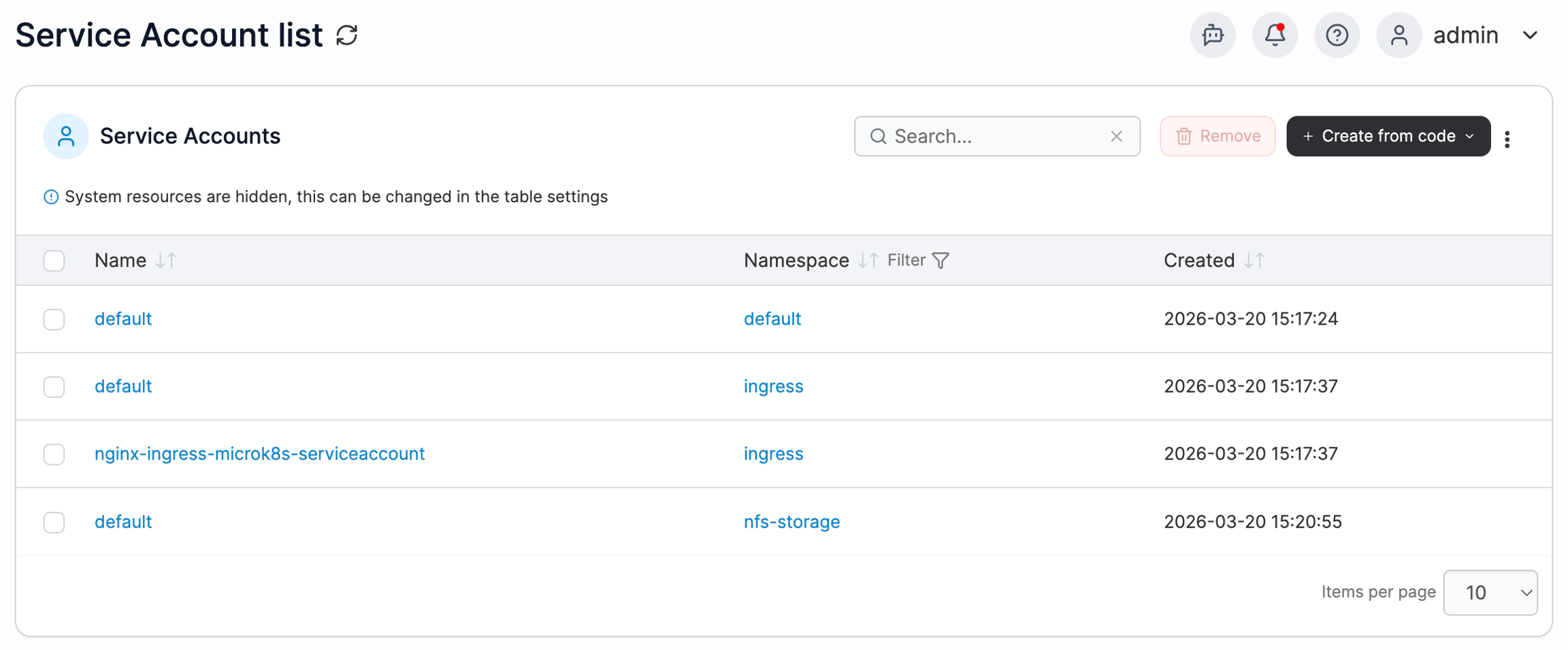
Portainer maintains a separate Kubernetes client for every non-admin user, per cluster; clients are cached with expiration so repeat requests do not rebuild the client on every hit. Whenever a request from that user reaches a Kubernetes environment (through the UI, through the Kubernetes API proxy, or through Helm operations), Portainer uses the user's own client, not a cluster-admin client. The client is built around the user's shadow ServiceAccount identity, not around cluster-admin credentials. That is the property that keeps a non-admin from ever wielding cluster-admin at the Kubernetes API.
Five pre-defined ClusterRoles per cluster
Portainer pre-defines five ClusterRoles in every managed cluster. Each user's shadow ServiceAccount is attached to one of those five, determined by the user's Portainer role; the binding shape depends on whether the role is cluster-scoped or namespace-scoped (chapter 03).
Cluster-scoped Portainer roles (Environment Administrator, Edge Administrator, Operator, Helpdesk User) get a ClusterRoleBinding pointing the ServiceAccount at one of the five ClusterRoles; the effect applies across every namespace in the cluster. Namespace-scoped Portainer roles (Namespace Operator, Standard User, Read-only User) get a RoleBinding in each namespace the user has been granted, referencing one of the same five ClusterRoles; the ClusterRole catalog is the same, but the RoleBinding restricts the effect to only the assigned namespaces.
The five ClusterRoles at the cluster are stable and Portainer-managed. The ServiceAccount is what varies per user. The binding (a single ClusterRoleBinding for cluster-scoped roles, or a set of per-namespace RoleBindings for namespace-scoped roles) carries the user's scope.
This design matters most for your cluster admin, who is often the person deciding whether Portainer is safe to install. The answer to "what is Portainer putting in my cluster" is small and inspectable: five ClusterRoles Portainer manages, one ServiceAccount per Portainer user per cluster, and either a ClusterRoleBinding or one or more RoleBindings per ServiceAccount depending on the user's role scope. Nothing dynamic or unpredictable happens at the cluster's authorization boundary; the ClusterRoles are pre-declared, the ServiceAccount-per-user is deterministic, and only the bindings vary.
Consistent enforcement across every Kubernetes surface
Every Portainer handler that talks to Kubernetes goes through the same authorization layer. The layer resolves the calling user, finds their cached client (or builds a fresh one), and hands the client to the handler. This is what gives Portainer its "one behavior across every Kubernetes surface" property: no handler can accidentally bypass the layer and act as cluster-admin, whether the request came from the UI, from kubectl through the proxy, or from Helm.
How the shadow identity carries forward on edge
For edge Kubernetes environments, the Portainer Agent sits closest to the cluster and makes the API call on the server's behalf. The server-side authorization layer has already resolved which shadow identity applies to the calling user; the ServiceAccount token then travels to the agent through a dedicated request header, and the agent presents that identity when it makes the API call against the cluster. This is worth knowing for triage: if you see requests failing at the agent boundary with a Kubernetes-side authorization error, the token pass-through and the ServiceAccount behind it are what to check.
Cache invalidation semantics
The shadow identity has to reflect the user's current permissions, so the cache has explicit invalidation rules. Two events invalidate the cache: a namespace permission change clears the whole cache (not just one user; the whole cache, because the reasoning is that any single change can cascade across many users' effective access), and a user login clears that user's own cached client. The most common symptom this cache produces is "I was granted access but still get 403"; the answer is almost always cache lifetime, and a re-login by the affected user forces a fresh client build.
What this design gives you
Three properties are worth pinning down. First, no cluster-admin kubeconfigs leave the platform team; every non-admin's cluster identity is a shadow ServiceAccount whose permissions come from one of five pre-defined ClusterRoles, and every kubectl request lands under that identity. Second, revoking access is a Portainer action (remove the team membership, disable the user), not a Kubernetes action; the shadow identity stops being useful the moment Portainer stops serving requests through the client built around it, and the user's kubeconfig stops working the moment their Portainer session ends or their expiry runs.
Third, and this is the one that matters most for auditing: every operation is attributed in Portainer's audit trail to the Portainer user, not to the shadow account. The cluster sees the shadow SA doing the work; the audit trail sees the Portainer user who made the request. Both records exist; when a compliance team asks "who did this," Portainer's audit trail is the answer, and it maps back to the human, not to a service-account identity that would be operationally useless as evidence.
Do not manage the shadow accounts by hand. They are Portainer-managed identities; direct modification via kubectl (delete, edit, or changes to the RBAC bindings Portainer has attached) creates a state Portainer did not intend, and the next request that lands on the cluster will either fail unexpectedly or, worse, succeed with permissions that no longer match what Portainer thinks the user has. The right lever for every change is the user's Portainer role; the shadow identity reflects it.
On one of your Kubernetes environments, assign a non-admin user access to one namespace (say, dev-a) from Portainer. Generate a kubeconfig for that user, point kubectl at it, and try operations on both dev-a and a namespace they should not see; the granted namespace returns real data, the ungranted one returns 403. Now, from Portainer, revoke the assignment. Have the user log out and back in (or wait for the cache to clear), then re-run the kubectl commands; both now fail, without you having touched the cluster's own RBAC objects. That is the shadow identity model: Portainer changes on the Portainer side, and the cluster-facing behavior updates through client-cache invalidation and user-scoped client rebuild.
Named handlers versus the raw proxy
Portainer's Kubernetes surface has two authorization paths. The UI-facing operations use named endpoints, one per Kubernetes resource type (namespaces, applications, pods, services, and so on); each named endpoint is mapped to a specific Portainer operation, and a user's role either grants the operation or does not. Direct kubectl calls that come through the API proxy (chapter 06) use a separate authorization mapping, one that translates the arbitrary Kubernetes API request into the equivalent Portainer operation before evaluating it.
In earlier releases, the two mappings could drift; a user who could do X in the UI could get 403 for the same X through kubectl, or the reverse. Portainer 2.45 addresses this at the test layer: automated coverage tests now check that for every named-endpoint operation the equivalent kubectl operation is covered by the same permission grant. A mismatch that surfaces after 2.45 is a coverage-test gap rather than a design intent, and is fixable once the specific case is named.
Practical guidance for triage: when a kubectl call returns 403 that seems wrong, first confirm the same user can do the same operation through the UI. If the UI works and kubectl does not (or the reverse), capture the exact request kubectl was making (verb, resource, namespace) and the user's Portainer role, then escalate.
Sessions, tokens, and revocation
Portainer sessions are cookie-based for the browser and header-based for API clients. On login the server issues a session; the session carries the user identity and drives every subsequent request's authorization. Session timeout is configurable (Settings → Authentication → Session timeout); the default is generous for developer convenience and probably too long for a production security posture. Tighten it in Module 5 as part of enterprise configuration.
API tokens are the machine equivalent. A user can issue an API token from their profile; the token identifies the user for API calls the same way a session cookie does for browser calls, and it respects the same role. Use short-lived scoped tokens for CI systems, long-lived unscoped tokens for administrative automation only, and rotate everything on a schedule your security team is comfortable with.
The Kubernetes kubeconfig tokens (chapter 06) are a third variety, purpose-built for the Kubernetes API proxy path and backed by the shadow-account lifecycle from chapter 07. They are not interchangeable with API tokens or session cookies; each token type binds to its intended surface.
Revocation shape
Revocation is per token. Portainer keeps an in-memory JWT revocation list, cleaned hourly; a revoked JWT returns "the JWT has been revoked" until it expires naturally or the list rotates it out. API keys are deleted individually. Kubernetes kubeconfig tokens expire according to the expiry setting configured for kubeconfig downloads. Disabling a user prevents further session issuance (the user's login attempts will fail) but does not automatically invalidate JWTs, API keys, or kubeconfig tokens that were previously issued.
For a compromise-response runbook, the sequence is: revoke known JWTs from the sessions view, delete the user's API keys, reduce or expire the kubeconfig token, then disable the user. Do all four when the security team says "cut off immediately"; skip any and there is a path the compromised credential can still take.
For further details on managing API access tokens, see the Portainer documentation.
Walk the compromise-response sequence end-to-end. Log in as a non-admin test user in one browser. Issue an API token from that user's profile. Download a Kubernetes kubeconfig for one of your environments. Now, as admin in a second browser, revoke the test user's active JWT from the sessions view; watch the first browser fail its next request with "the JWT has been revoked." Next, delete the API token; a curl call using that token should now fail. Then reduce the kubeconfig expiry (or regenerate) so the old kubeconfig stops working. Finally, disable the test user. Confirm none of the four paths (browser session, API token, kubeconfig, new login) succeed. This is the sequence you run when a security team says "cut off immediately."
The in-product audit trail
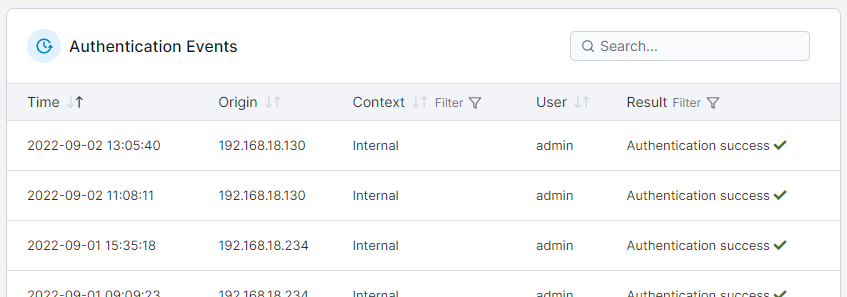
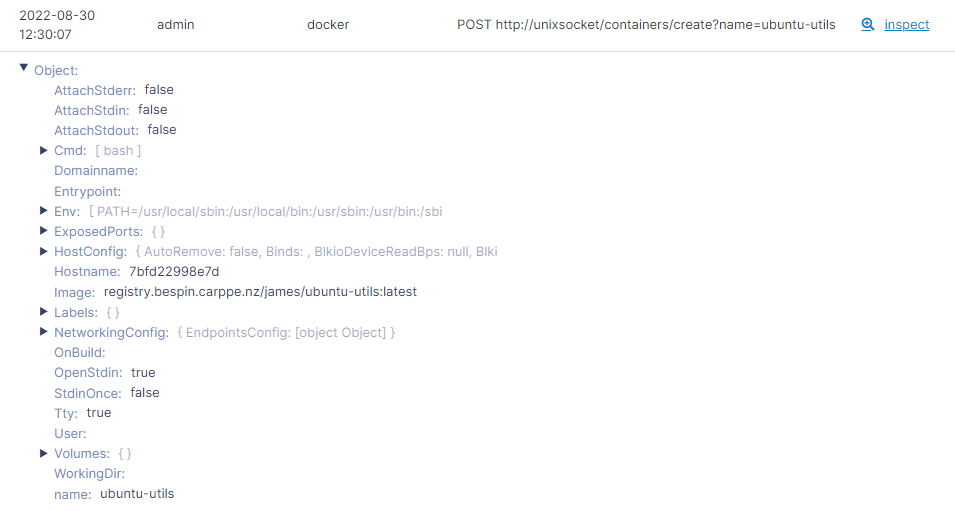
Portainer records audit events for every meaningful action: authentication attempts (with method, username, source IP, success or failure), environment mutations (create, update, delete), RBAC changes (team membership, role assignment, permission grant), policy changes, stack deploys and undeploys, add-on installs, and administrative actions on settings. Events are recorded in the datastore for in-product review and streamed to syslog for ingestion by a SIEM (security information and event management) platform. Module 10, chapter 05 covers the SIEM path in detail; this chapter covers what an event actually is and how to use the in-product review.
The in-product view supports filtering by user, by environment, by event type, and by time window. When someone asks "who deleted this stack," this is where you look; the event carries the user's identity, the time, the source IP, and the affected object. Every kubectl call through the Kubernetes API proxy (chapter 06) is captured too, under the calling Portainer user's identity, not the shadow account's; that is what makes the shadow-account model auditable in a way distributed kubeconfigs are not.
Client IP correctness
The client IP recorded in authentication activity logs honors proxy headers only from IPs in --trusted-proxies. If you configured Portainer behind a load balancer and every auth event shows the load balancer's IP as the client, this is why. Add the load balancer's IP or CIDR to --trusted-proxies in the server configuration (Module 5, chapter on reverse proxy) and the correct client IP will appear thereafter. Existing events are not backfilled.
Retention
Audit events are retained in the datastore for 7 days. Longer-term retention requires the SIEM path (Module 10, chapter 05); Portainer's in-product view is for recent triage, not compliance archival.
An add-on's actions get logged under the AddonMachineAPI log context, distinct from the AddonLifecycle context that covers admin actions on the add-on itself. When you triage "did the operator change this or did the add-on change this," those two contexts are how you tell them apart. Filter appropriately in the audit view.
For further details on the activity log, see the Portainer documentation.
Reproduce the "who deleted this stack" question. Create a disposable stack (a single nginx container is fine) on one of your Docker or Kubernetes environments. Log in as a non-admin user who has delete permission on that environment and delete the stack. As admin, open the in-product audit trail and filter by that user, then by event type of stack delete, then by the time window around the action. Find the exact event; confirm the record carries the user identity, the timestamp, the source IP, and the affected stack. This is the shape of query you will run on a real incident ticket, and it is the difference between "we think it was probably X" and evidence.
Integrated, not replaced
Portainer does not replace the identity provider; it consumes one. LDAP, Microsoft Active Directory, and OAuth providers all sit alongside Portainer as authoritative sources of user identity and group membership. If you have a mature identity provider, Portainer plugs into it; if you do not, internal users are a legitimate starting point for small deployments (and you can migrate to LDAP, AD, or OAuth later without losing team assignments if you map deliberately).
Secrets management. Portainer does not host secrets. HashiCorp Vault, OpenBao, the External Secrets Operator, Sealed Secrets, AWS Secrets Manager, Azure Key Vault, and GCP Secret Manager all sit outside Portainer; Portainer surfaces the resulting Kubernetes Secret objects in its day-2 UI and applies its own RBAC to who can view them, but the sealing, encryption, and lifecycle of the secret happen in the external system.
The pattern is worth naming plainly. Portainer is the operator control plane; the identity provider is the identity substrate; the secrets manager is the secret substrate. Portainer coordinates against both, and your security team should be able to answer "where does authentication happen" and "where do secrets live" without either answer being "Portainer."
What is next
Module 8 covers fleet management: environment groups and edge groups at scale, edge compute, the policy engine, and registry governance. Policy only makes sense once you have the fleet identity from Module 8 chapter 1 and the tenancy substrate from this module - the pieces click together there.
Next: Module 8 · Fleet Management